Android Integeration with Ad Manager Mediation
詳細範例
Ad Manager 22.2.0 Mediation Project (包含橫幅、插頁、原生廣告)。
新增廣告單元 / 收益群組
登入Google Ad Manager
https://admanager.google.com/home/

橫幅(Banner)
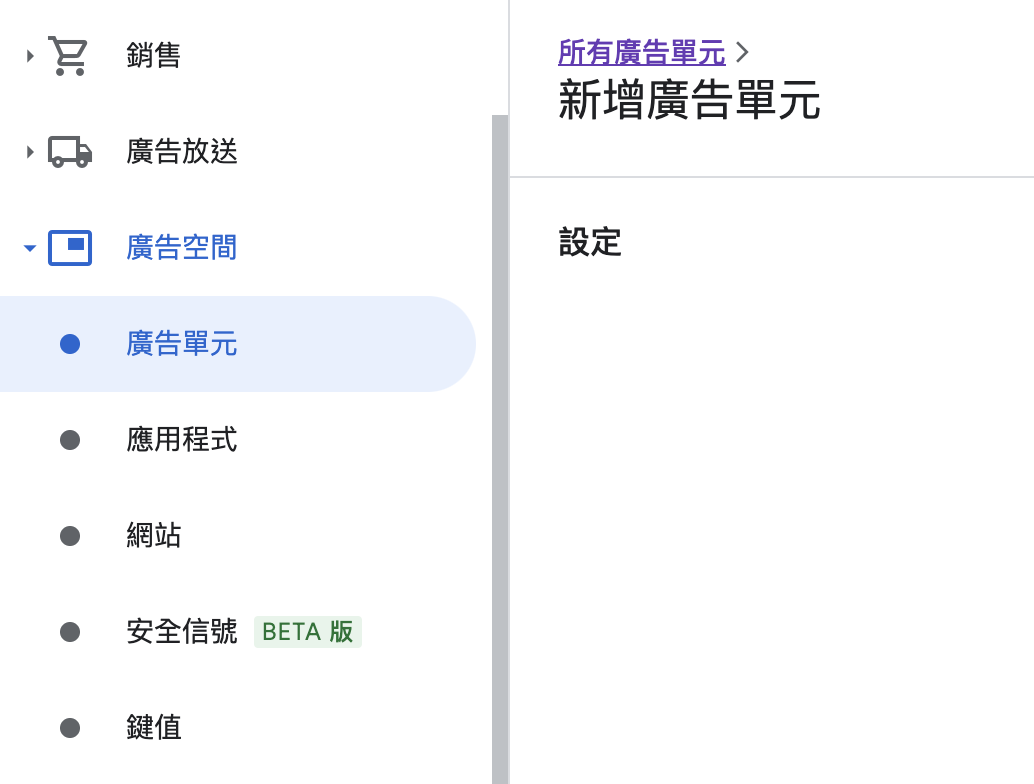
- 進入 Ad Manager 網頁選擇 應用單元 -> 新增廣告單元
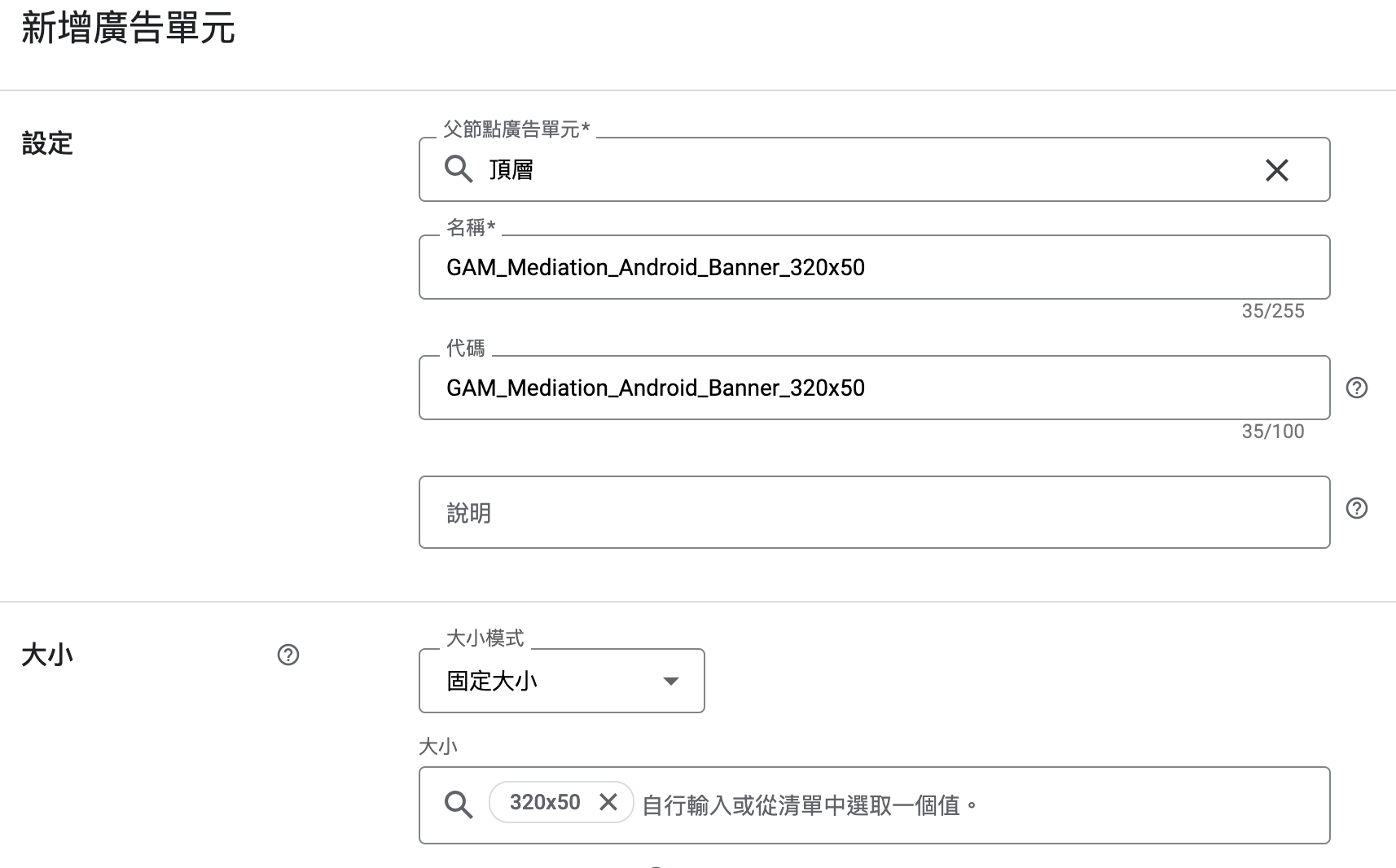
名稱: GAM_Mediation_Android_Banner_320x50
大小: 320x50
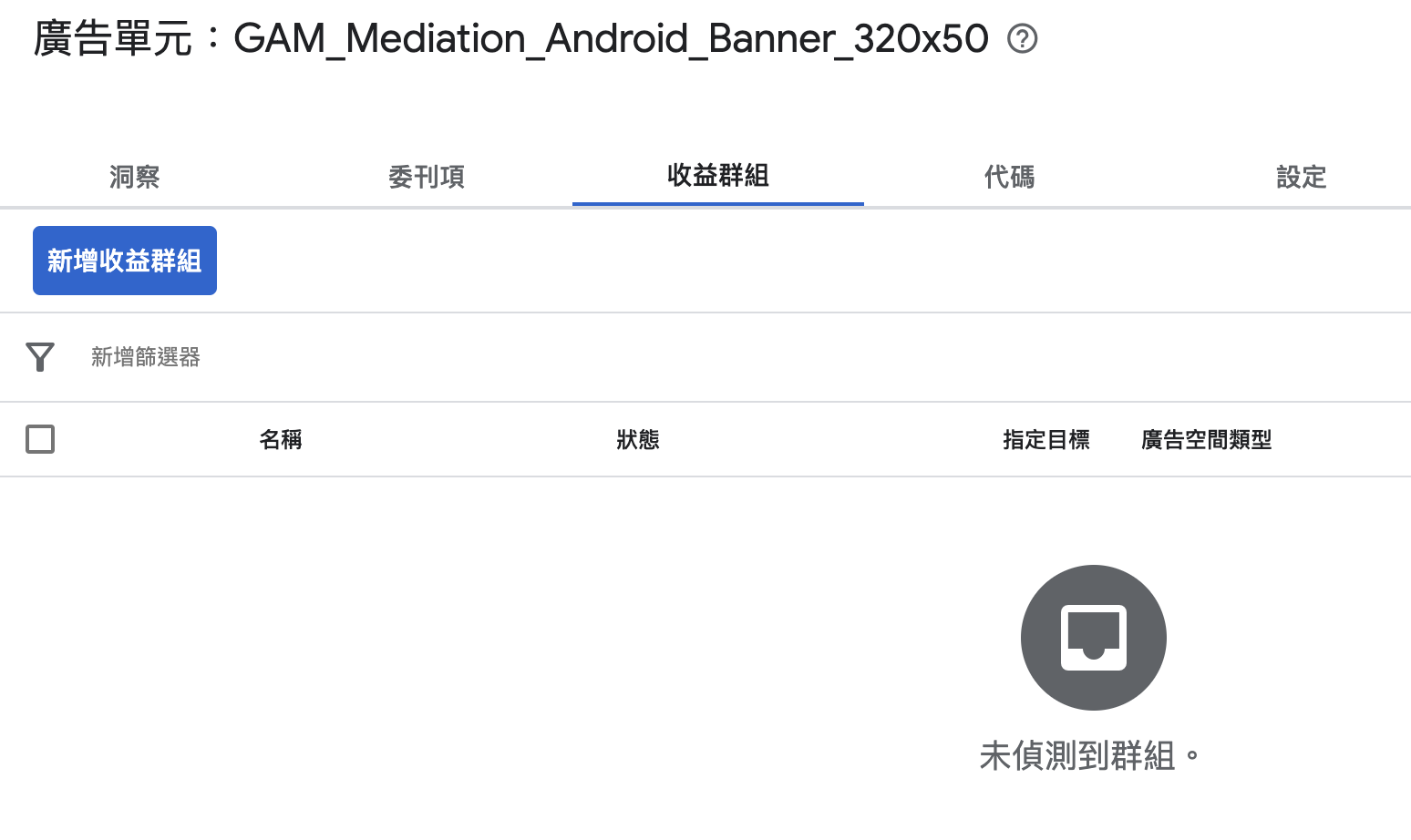
新增收益群組
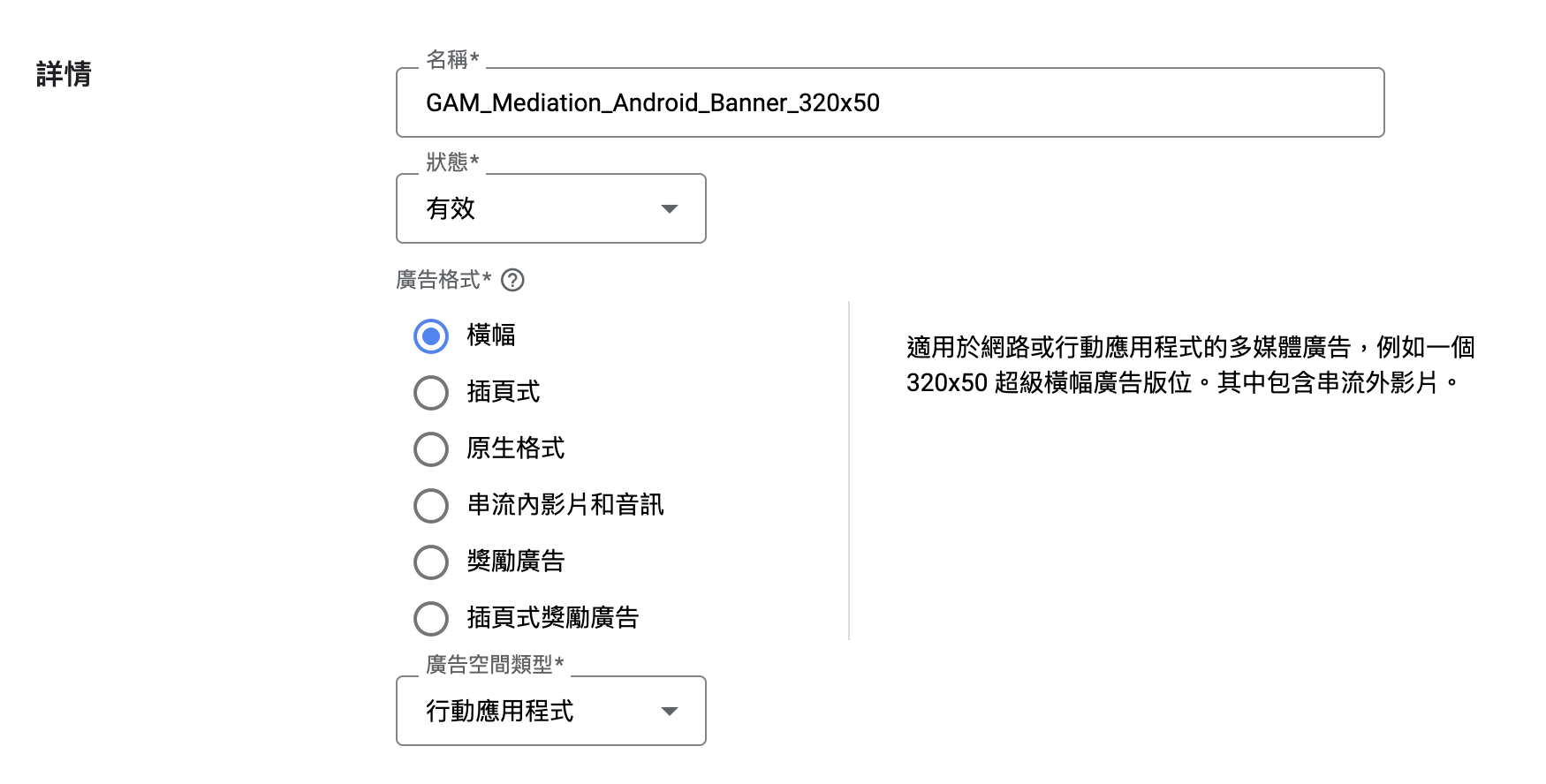
名稱: GAM_Mediation_Android_Banner_320x50
狀態: 有效
廣告格式: 橫幅
新增收益夥伴

其他收益夥伴詳細資訊
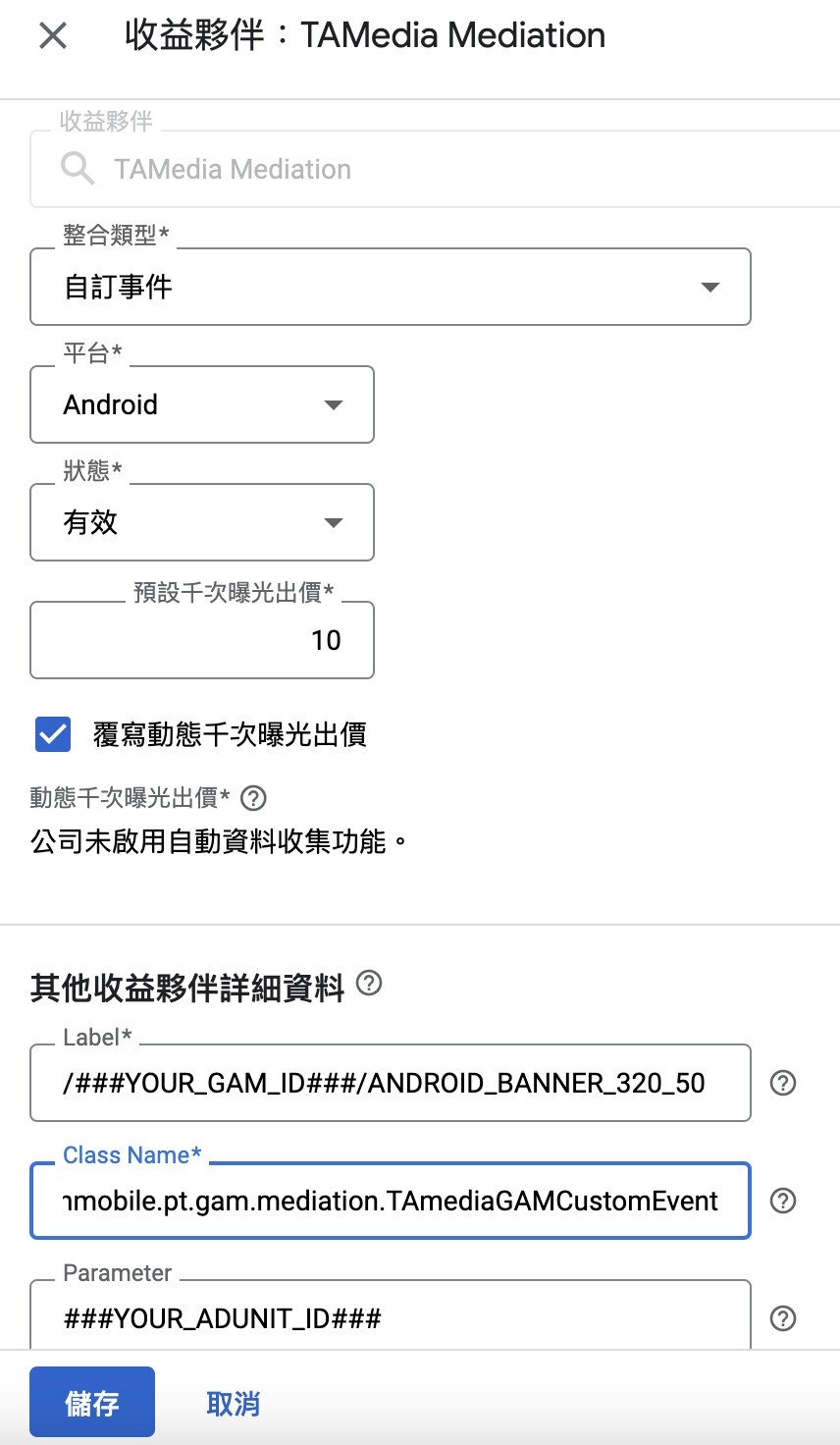
Label: 用於AdManagerAdView.adUnitId
Class Name: com.taiwanmobile.pt.gam.mediation.TAmediaGAMCustomEvent
Parameter: TAmedia廣告版位
插頁(Interstitial)
- 進入 Ad Manager 網頁選擇 應用單元 -> 新增廣告單元
名稱: GAM_Mediation_Android_Interstitial
大小: 1024x768, 768x1024, 480x320, 320x480
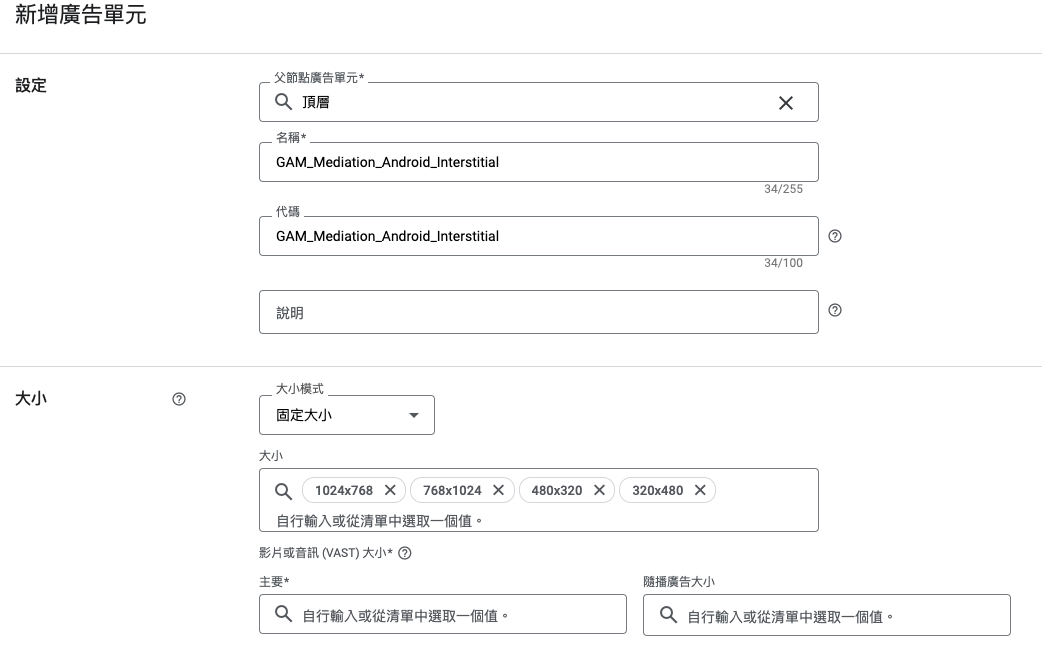
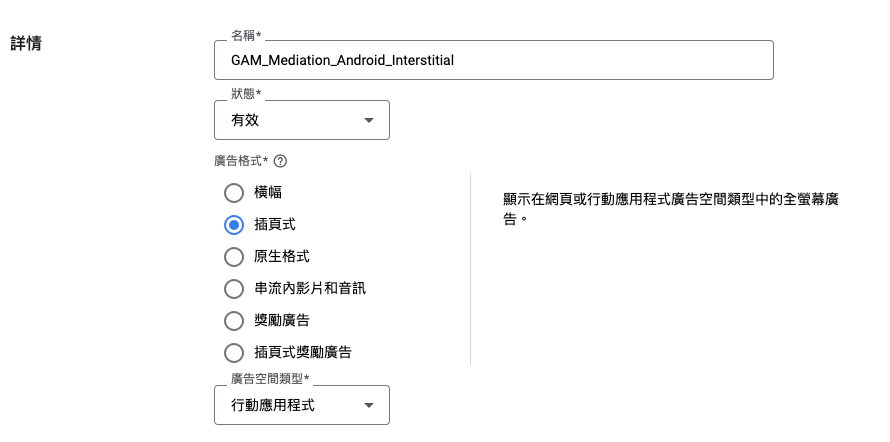
新增收益群組

名稱: GAM_Mediation_Android_Interstitial
狀態: 有效
廣告格式: 插頁式
新增收益夥伴
其他收益夥伴詳細資訊
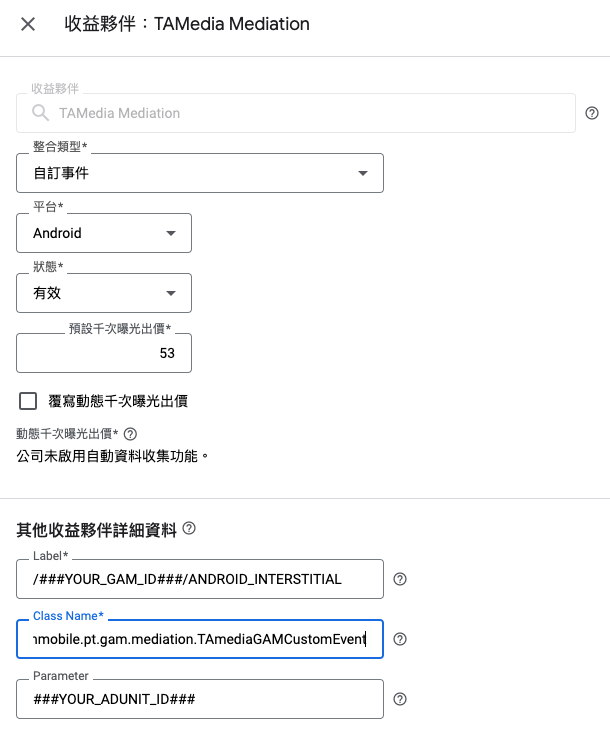
Label: 用於AdManagerInterstitialAd.load()
Class Name: com.taiwanmobile.pt.gam.mediation.TAmediaGAMCustomEvent
Parameter: TAmedia廣告版位
原生(Native)
- 進入 Ad Manager 網頁選擇 應用單元 -> 新增廣告單元
名稱: GAM_Mediation_Android_Native
大小: 自訂顯示
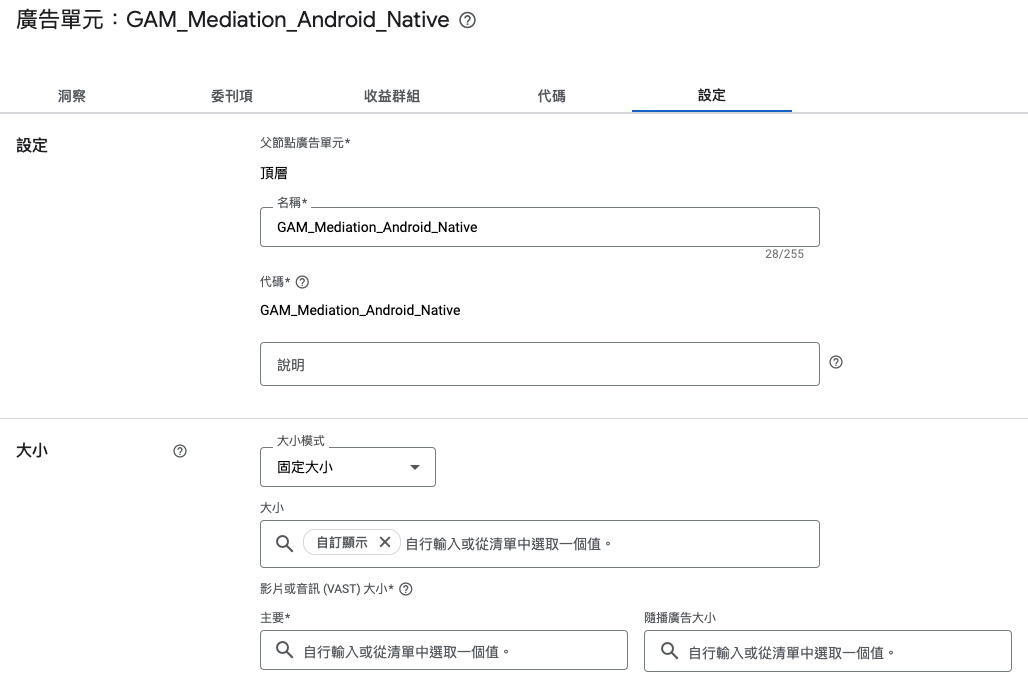
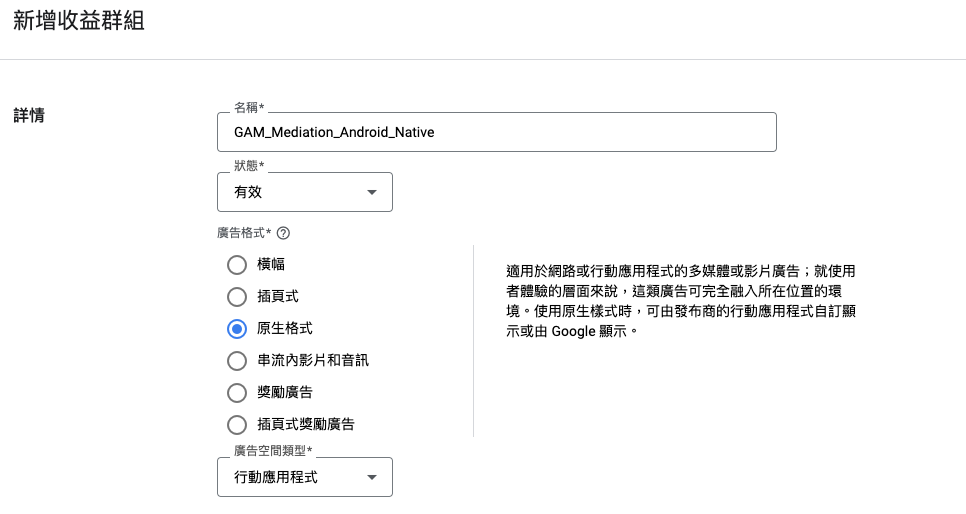
新增收益群組
名稱: GAM_Mediation_Android_Native
狀態: 有效
廣告格式: 原生格式
新增收益夥伴
其他收益夥伴詳細資訊
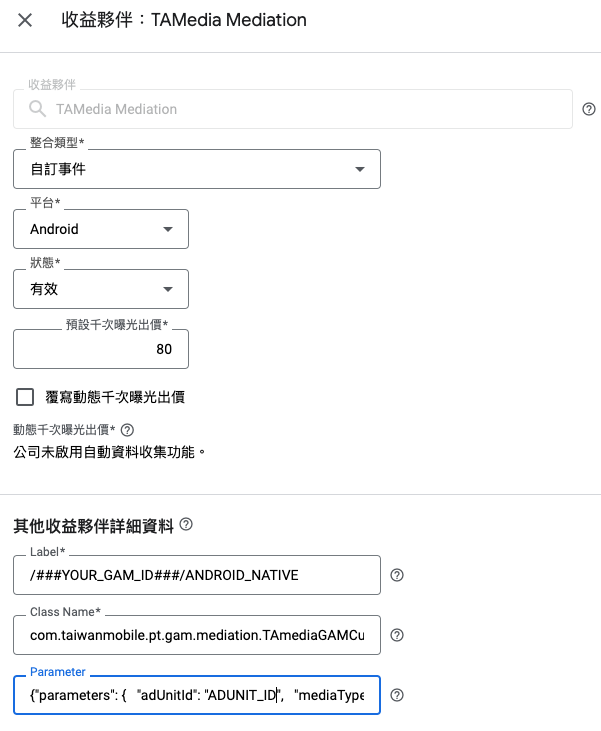
Label: 用於AdLoader.Builder().forNativeAd()
Class Name: com.taiwanmobile.pt.gam.mediation.TAmediaGAMCustomEvent
Parameter: TAmedia原生廣告參數(下方說明)
- MediaView顯示影音
- adUnitId: TAmedia廣告版位
- mediaType: VIDEO
- videoStartUnmuted: 影片聲音預設開關, true: 有聲音, false: 無聲音
- videoCustomControlRequest: 影片上是否要顯示秒數, 靜音, 前往瀏覽等UI按鈕, true: 不顯示, false: 顯示
{
  "parameters": {
    "adUnitId": "ADUNIT_ID",
    "mediaType": "VIDEO",
    "videoStartUnmuted":true,
    "videoCustomControlRequest":true
  }
}
- MediaView顯示大圖(1200x628)
- adUnitId: TAmedia廣告版位
- mediaType: BIG_IMAGE
{
  "parameters": {
    "adUnitId": "ADUNIT_ID",
    "mediaType": "BIG_IMAGE"
  }
}
- MediaView顯示小圖(960x640)
- adUnitId: TAmedia廣告版位
- mediaType: SMALL_IMAGE
{
  "parameters": {
    "adUnitId": "ADUNIT_ID",
    "mediaType": "SMALL_IMAGE"
  }
}
Gradle設定
// =======================================================================//
// Google Play Service - ADS
// =======================================================================//
implementation 'com.google.android.gms:play-services-ads:22.2.0'

// =======================================================================//
// MADP SDK
// =======================================================================//
implementation fileTree(include: ['*.aar'], dir: 'libs')

// =======================================================================//
// MADP SDK dependencies
// =======================================================================//
// kotlin
implementation 'org.jetbrains.kotlin:kotlin-stdlib-jdk8:1.8.21'
implementation 'org.jetbrains.kotlinx:kotlinx-coroutines-android:1.6.4'
// retrofit
implementation 'com.squareup.retrofit2:retrofit:2.9.0'
implementation 'com.squareup.retrofit2:converter-gson:2.9.0'
implementation 'com.squareup.retrofit2:converter-scalars:2.9.0'
// advertising ID
implementation 'com.google.android.gms:play-services-ads-identifier:18.0.1'
// appset
implementation 'com.google.android.gms:play-services-appset:16.0.2'
// gson
implementation 'com.google.code.gson:gson:2.10.1'
// lifecycle
def lifecycle_version = "2.6.1"
implementation "androidx.lifecycle:lifecycle-viewmodel-ktx:$lifecycle_version"
implementation "androidx.lifecycle:lifecycle-livedata-ktx:$lifecycle_version"
implementation "androidx.lifecycle:lifecycle-runtime-ktx:$lifecycle_version"
implementation "androidx.lifecycle:lifecycle-viewmodel-savedstate:$lifecycle_version"
implementation "androidx.lifecycle:lifecycle-common-java8:$lifecycle_version"
implementation "androidx.lifecycle:lifecycle-common-java8:$lifecycle_version"
implementation "androidx.lifecycle:lifecycle-service:$lifecycle_version"
implementation "androidx.lifecycle:lifecycle-process:$lifecycle_version"
implementation "androidx.lifecycle:lifecycle-reactivestreams-ktx:$lifecycle_version"
// viewModels
implementation 'androidx.activity:activity-ktx:1.7.2'
// EncryptedSharedPreferences
implementation 'androidx.security:security-crypto:1.1.0-alpha06'
Proguard設定
避免TAmedia Mediation Class Name被被混淆導致Google Ad Manager無法找到中介實作, 請將下列內容加入 proguard-rules.pro
-keep class com.taiwanmobile.pt.adp.mediation.** {
    public protected <fields>;
    public protected <methods>;
}
-keep class com.taiwanmobile.pt.gam.mediation.** {
    public protected <fields>;
    public protected <methods>;
}
-dontwarn com.google.errorprone.annotations.**
TAmedia中介程式
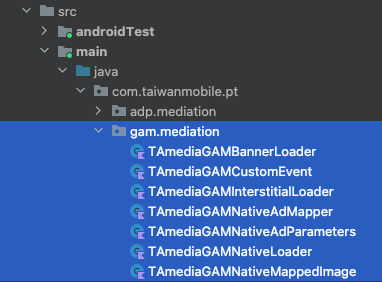
- 請將com.taiwanmobile.pt.gam.mediation程式碼加入專案, 請確認Google Ad Manager收益群組設定的Class Name與下列一致
- com.taiwanmobile.pt.gam.mediation.TAmediaGAMCustomEvent
*
請確認TAmedia SDK 在libs目錄

*
請再次檢查Gradle設定有參考其TAmedia SDK aar檔案

橫幅(Banner)
請參考TAmediaGAMCustomEvent.loadBannerAd(), 此為橫幅中介程式進入點
    override fun loadBannerAd(
        configuration: MediationBannerAdConfiguration,
        callback: MediationAdLoadCallback<MediationBannerAd, MediationBannerAdCallback>
    ) {
        bannerLoader = TAmediaGAMBannerLoader(configuration, callback)
        bannerLoader?.loadAd()
    }
插頁(Interstitial)
請參考TAmediaGAMCustomEvent.loadInterstitialAd(), 此為插頁中介程式進入點
    override fun loadInterstitialAd(
        configuration: MediationInterstitialAdConfiguration,
        callback: MediationAdLoadCallback<MediationInterstitialAd, MediationInterstitialAdCallback>
    ) {
        interstitialLoader = TAmediaGAMInterstitialLoader(configuration, callback)
        interstitialLoader?.loadAd()
    }
原生(Native)
請參考TAmediaGAMCustomEvent.loadNativeAd(), 此為原生中介程式進入點
   override fun loadNativeAd(
        configuration: MediationNativeAdConfiguration,
        callback: MediationAdLoadCallback<UnifiedNativeAdMapper, MediationNativeAdCallback>
    ) {
        nativeLoader = TAmediaGAMNativeLoader(configuration, callback)
        nativeLoader?.loadAd()
    }
開發者程式
請參考 com.taiwanmobile.pt.guide.gam 相關程式碼
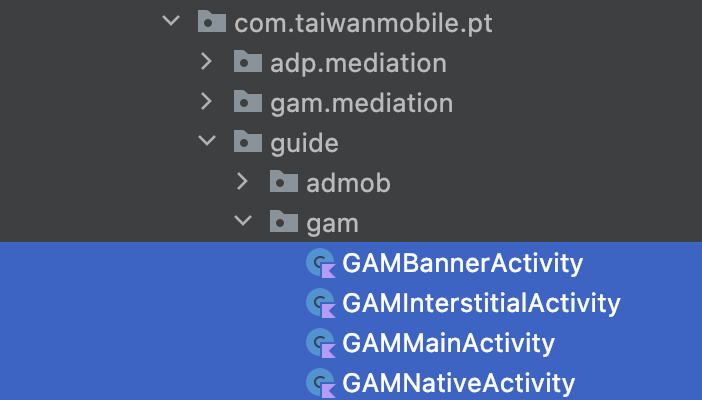
=== 橫幅(Banner) ===
請參考GAMBannerActivity.kt, 使用AdManagerAdView載入AdManagerAdRequest, 進行廣告請求
    adUnitId?.let {
        val request = AdManagerAdRequest.Builder().build()
        adManagerAdView = AdManagerAdView(this@GAMBannerActivity)
        adManagerAdView?.adUnitId = it
        adManagerAdView?.setAdSizes(adSize)
        adManagerAdView?.adListener = object: AdListener() {
            override fun onAdLoaded() {}
            override fun onAdFailedToLoad(adError : LoadAdError) {}
            override fun onAdClicked() {}
            override fun onAdImpression() {}
        }
        adManagerAdView?.loadAd(request)
        // add view into layout
        binding.adContainer.addView(adManagerAdView)
    }
插頁(Interstitial)
請參考GAMInterstitialActivity.kt, 使用AdManagerInterstitialAd載入AdManagerAdRequest物件, 進行廣告請求
    adUnitId?.let {
        val adRequest = AdManagerAdRequest.Builder().build()
        AdManagerInterstitialAd.load(this, it, adRequest, object : AdManagerInterstitialAdLoadCallback() {
            override fun onAdFailedToLoad(adError: LoadAdError) {}
            override fun onAdLoaded(ad: AdManagerInterstitialAd) {
                interstitialAd = ad
                interstitialAd?.show(this@GAMInterstitialActivity)
            }
        })
    }
原生(Native)
請參考GAMNativeActivity.kt, 使用AdLoader.forNativeAd()載入AdManagerAdRequest物件, 進行廣告請求
    val adUnitId = args.getString(GAMMainActivity.KEY_ADUNITID) ?: ""
    val adLoader = AdLoader.Builder(this, adUnitId)
        .forNativeAd { ad: NativeAd ->
        if (isDestroyed) {
            ad.destroy()
            return@forNativeAd
        }
        nativeAd = ad
        val vb = NativeAdBinding.inflate(layoutInflater)
            populateNativeAdView(ad, vb)
            binding.nativeContainer.removeAllViews()
            binding.nativeContainer.addView(vb.root)
        }
        .withAdListener(object : AdListener() {
            override fun onAdFailedToLoad(adError: LoadAdError) {}
            override fun onAdClicked() {}
            override fun onAdImpression() {}
        })
        .withNativeAdOptions(NativeAdOptions.Builder().build())
        .build()
    adLoader.loadAd(AdManagerAdRequest.Builder().build())
請參考GAMNativeActivity.kt, 在populateNativeAdView()有填充NativeAdView實作細節
    private fun populateNativeAdView(nativeAd: NativeAd, viewBinding: NativeAdBinding) {

        // fetch NativeAdView from NativeAdBinding
        val nativeAdView: NativeAdView = viewBinding.root

        // headline
        if (nativeAd.headline == null) {
            viewBinding.adHeadline.visibility = View.INVISIBLE
        } else {
            viewBinding.adHeadline.visibility = View.VISIBLE
            viewBinding.adHeadline.text = nativeAd.headline
            nativeAdView.headlineView = viewBinding.adHeadline
        }
        // body
        if (nativeAd.body == null) {
            viewBinding.adBody.visibility = View.INVISIBLE
        } else {
            viewBinding.adBody.visibility = View.VISIBLE
            viewBinding.adBody.text = nativeAd.body
            nativeAdView.bodyView = viewBinding.adBody
        }
        // call to action
        if (nativeAd.callToAction == null) {
            viewBinding.adCallToAction.visibility = View.INVISIBLE
        } else {
            viewBinding.adCallToAction.visibility = View.VISIBLE
            viewBinding.adCallToAction.text = nativeAd.callToAction
            nativeAdView.callToActionView = viewBinding.adCallToAction
        }
        // icon
        if (nativeAd.icon == null) {
            viewBinding.adAppIcon.visibility = View.GONE
        } else {
            nativeAd.icon?.drawable?.let {
                viewBinding.adAppIcon.setImageDrawable(it)
                viewBinding.adAppIcon.visibility = View.VISIBLE
                nativeAdView.iconView = viewBinding.adAppIcon
            }
        }
        // mediaView
        nativeAdView.mediaView = viewBinding.adMedia
        nativeAdView.mediaView?.mediaContent = nativeAd.mediaContent
        nativeAdView.setNativeAd(nativeAd)
    }
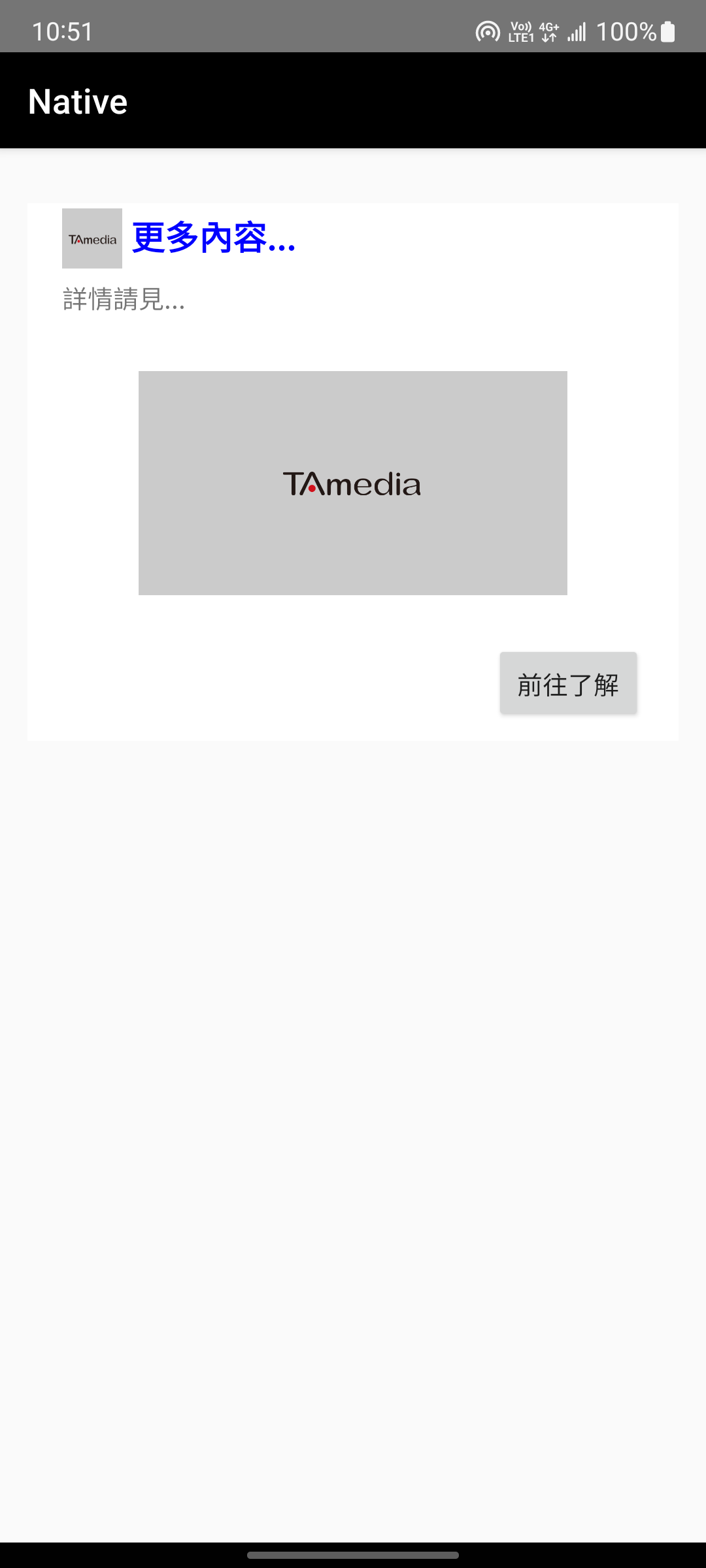
請參考NativeAdBinding佈局細節, 使用NativeAdView設計原生廣告佈局, 使用MediaView顯示 影片 或 大圖 或 小圖 /p>
<com.google.android.gms.ads.nativead.NativeAdView
    xmlns:android="http://schemas.android.com/apk/res/android"
    android:layout_width="match_parent"
    android:layout_height="wrap_content"
    android:orientation="vertical">

    <ImageView
        android:id="@+id/ad_app_icon"
        android:layout_width="40dp"
        android:layout_height="40dp"
        android:adjustViewBounds="true"
        android:paddingEnd="5dp"
        android:paddingRight="5dp"
        android:paddingBottom="5dp" />

    <TextView
        android:id="@+id/ad_headline"
        android:layout_width="match_parent"
        android:layout_height="wrap_content"
        android:textColor="#0000FF"
        android:textSize="16sp"
        android:textStyle="bold" />

    <TextView
        android:id="@+id/ad_body"
        android:layout_width="wrap_content"
        android:layout_height="wrap_content"
        android:layout_marginEnd="20dp"
        android:layout_marginRight="20dp"
        android:textSize="12sp" />

    <com.google.android.gms.ads.nativead.MediaView
        android:id="@+id/ad_media"
        android:layout_width="250dp"
        android:layout_height="175dp"
        android:layout_gravity="center_horizontal"
        android:layout_marginTop="5dp" />

    <Button
        android:id="@+id/ad_call_to_action"
        android:layout_width="wrap_content"
        android:layout_height="wrap_content"
        android:gravity="center"
        android:textSize="12sp" />

</com.google.android.gms.ads.nativead.NativeAdView>
長標題 / 短標題設定, 請調整TAmediaGAMNativeAdMapper.kt實作, 將headline設為指定的標題即可
    // Mapping TWMNativeAd to AdMob Native AD resource
    // headline by longSubject
    nativeAd.nativeAdContent.longSubject?.let { headline = it }
    //nativeAd.nativeAdContent.shortSubject?.let { headline = it }
使用詳細範例
下載中介程式
修改 - AndroidManifest.xml
- Google Ad Manager中註冊之應用程式ID (Application ID)
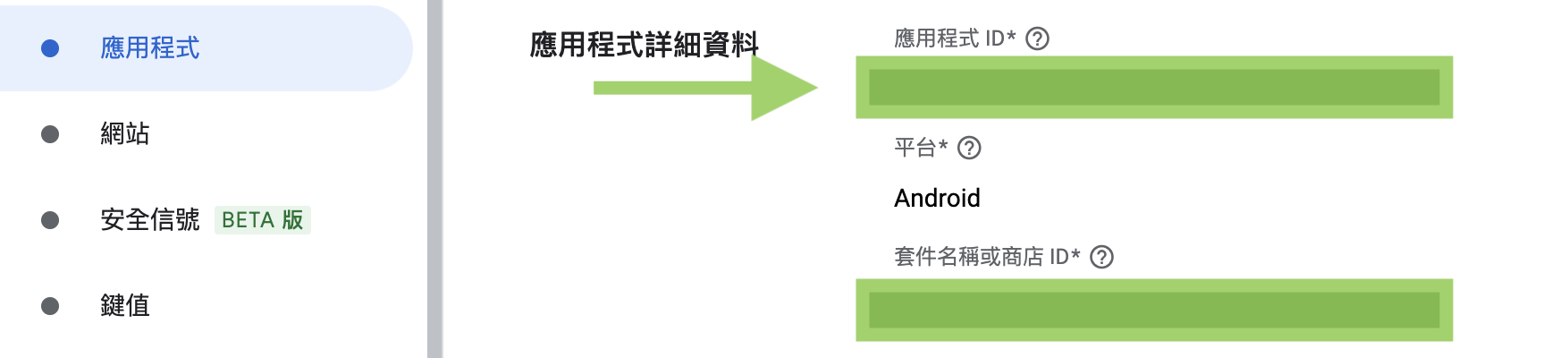

修改 - build.gradle
- Google Ad Manager中註冊之套件名稱
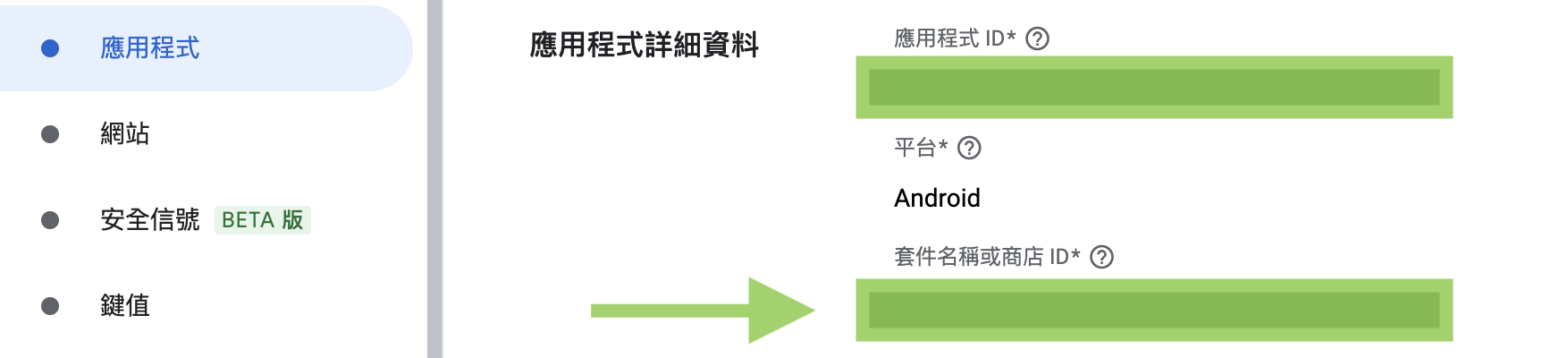
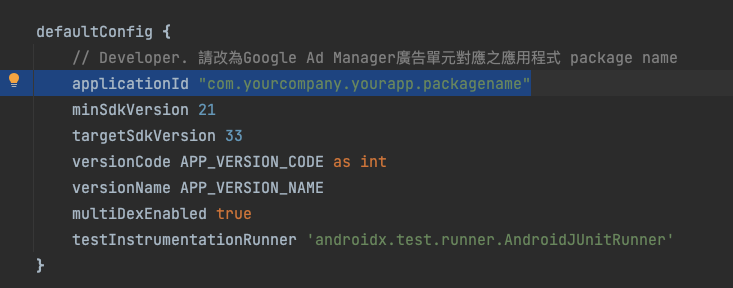
修改 - 廣告單元
- Google Ad Manager中註冊之廣告單元
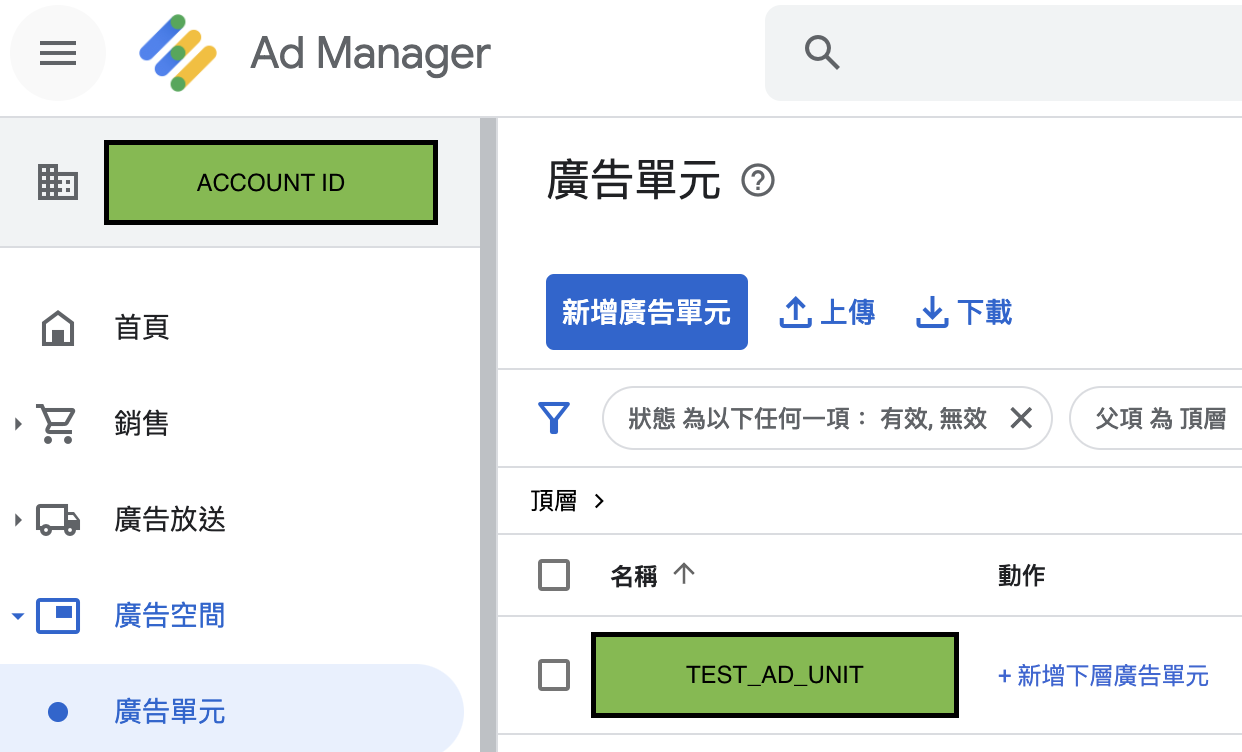
*
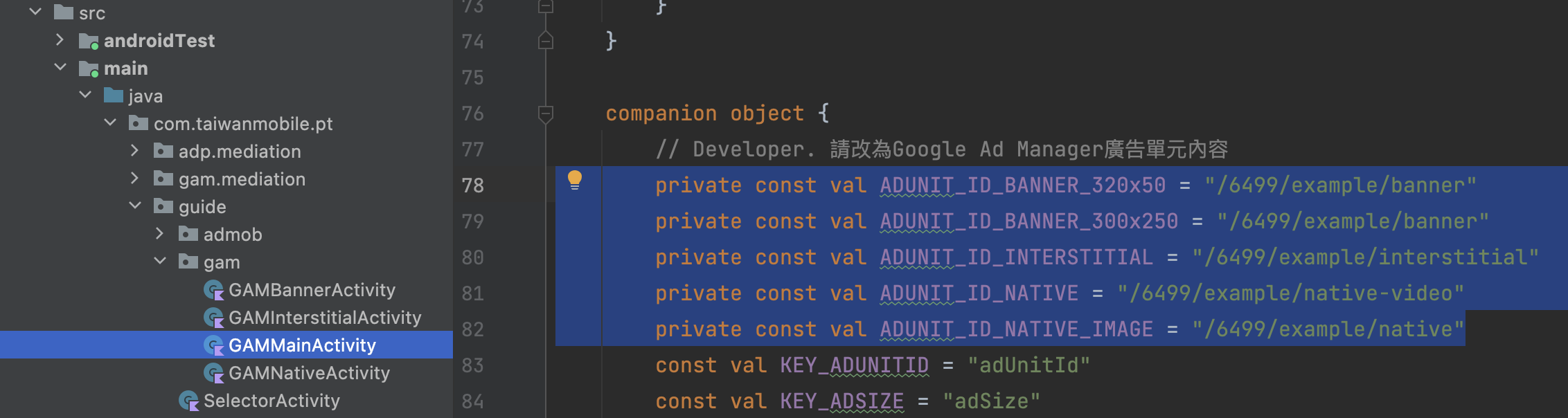
修改GAMMainActivity中定義的廣告單元 (ex. /ACCOUNT_ID/TEST_AD_UNIT )
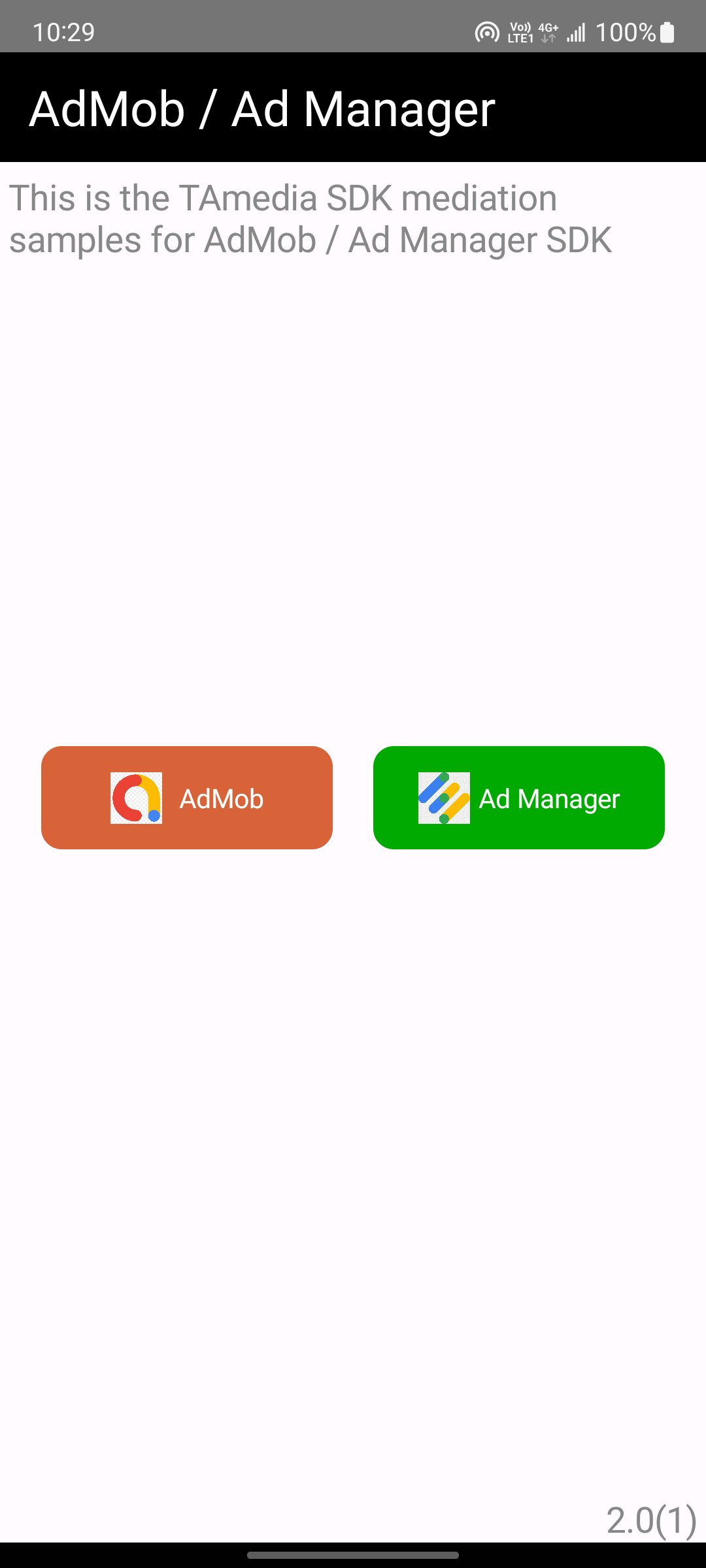
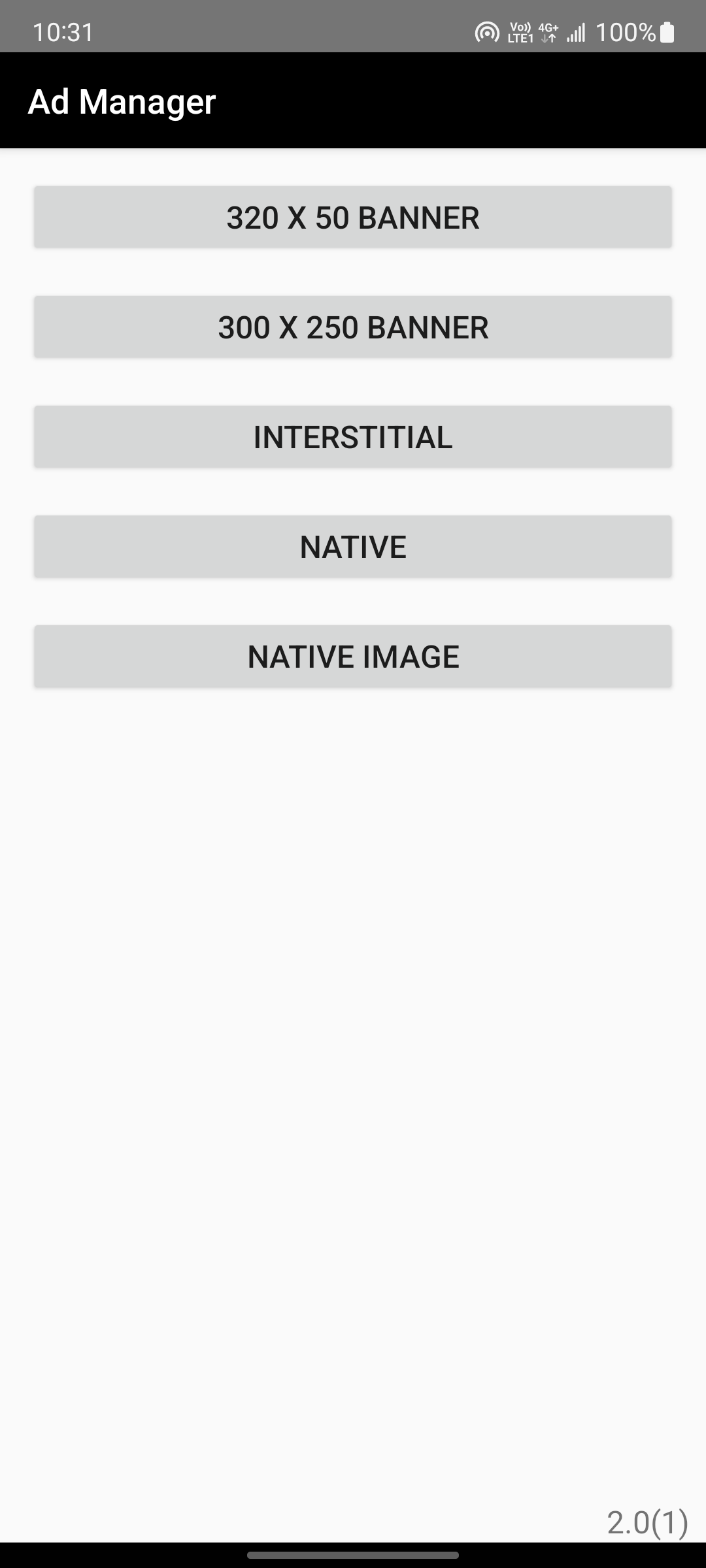
範例程式主畫面, 左邊按鈕為AdMob程式範例, 右邊按鈕為Ad Manager程式範例, 請點選右邊Ad Manager
主選單 | Ad Manager |
|---|---|
| 
|
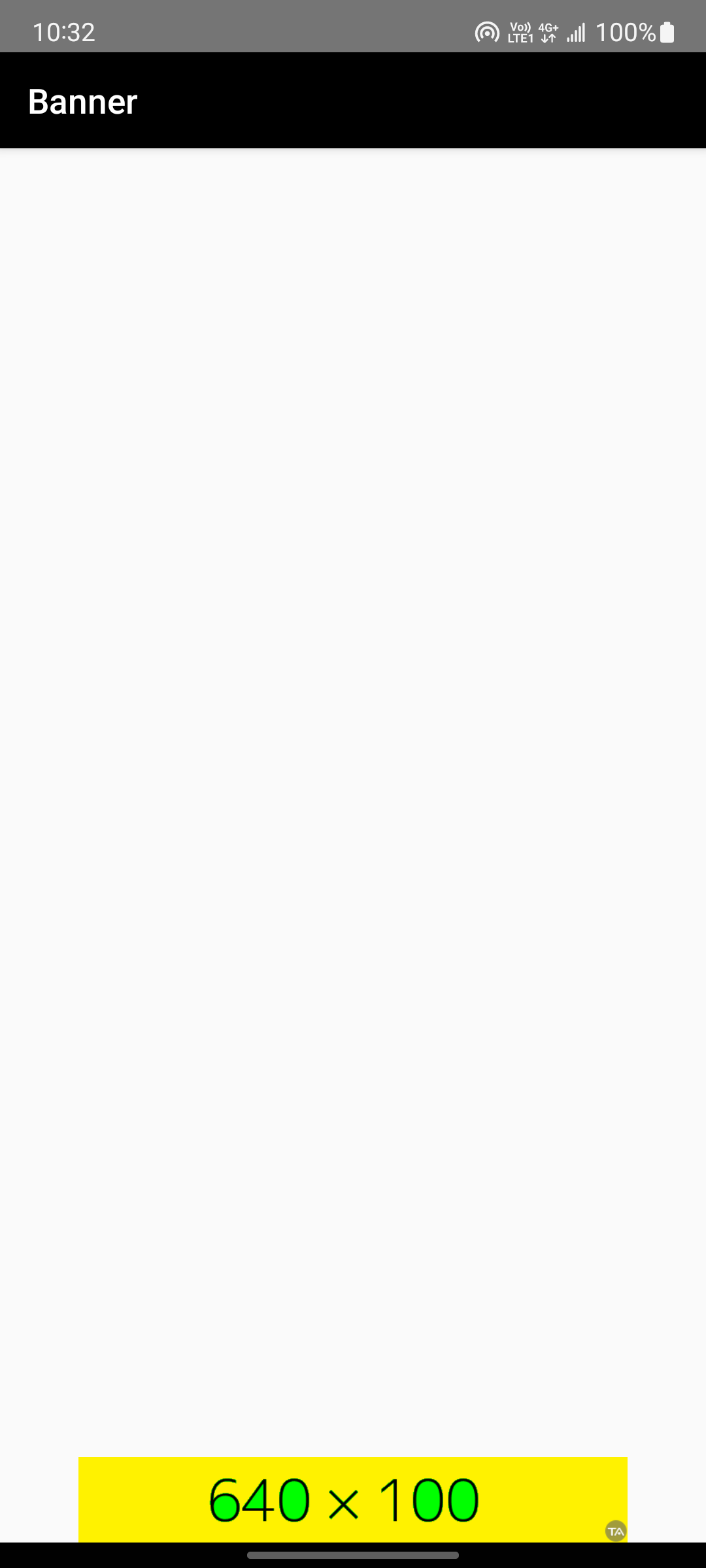
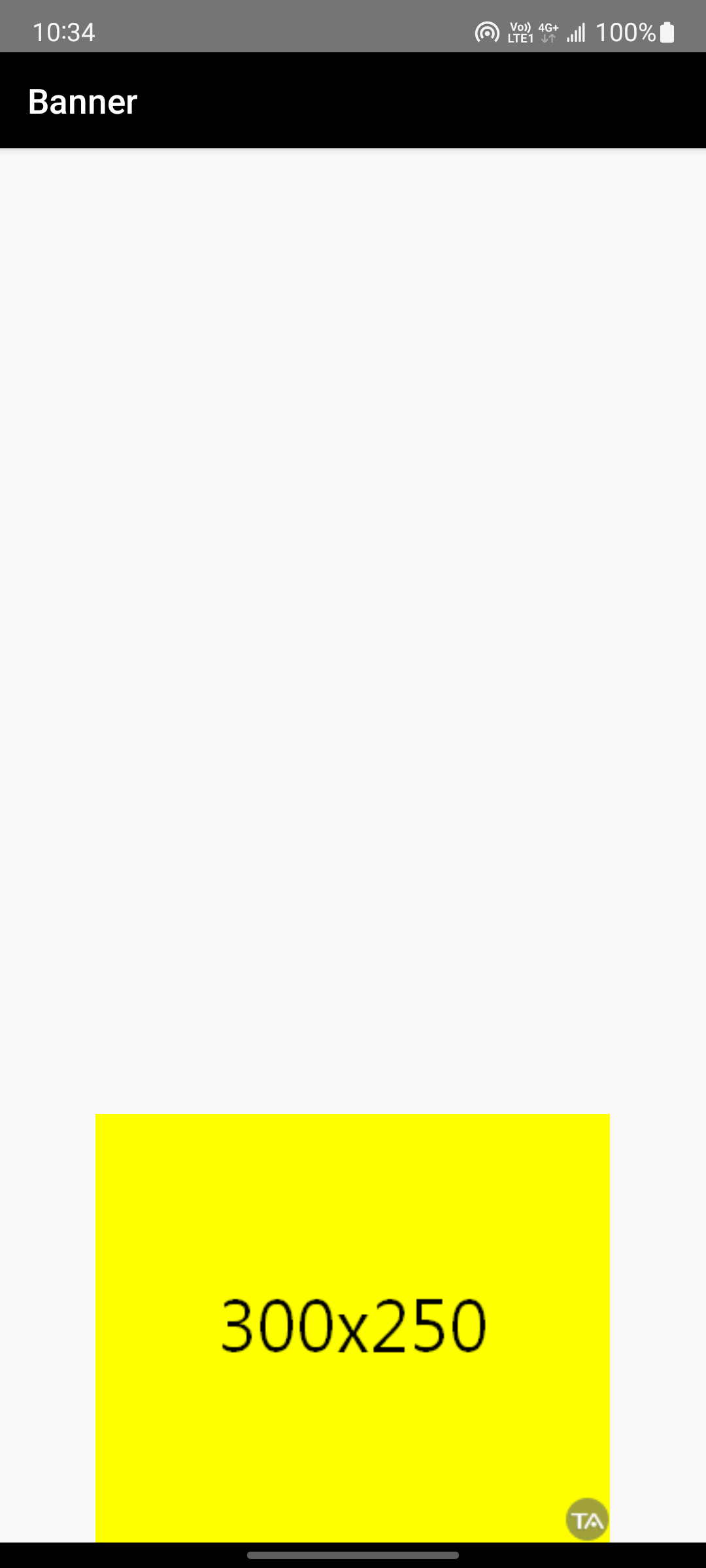
=== 橫幅(Banner) ===
320x50 | 300x250 |
|---|---|
| 
|
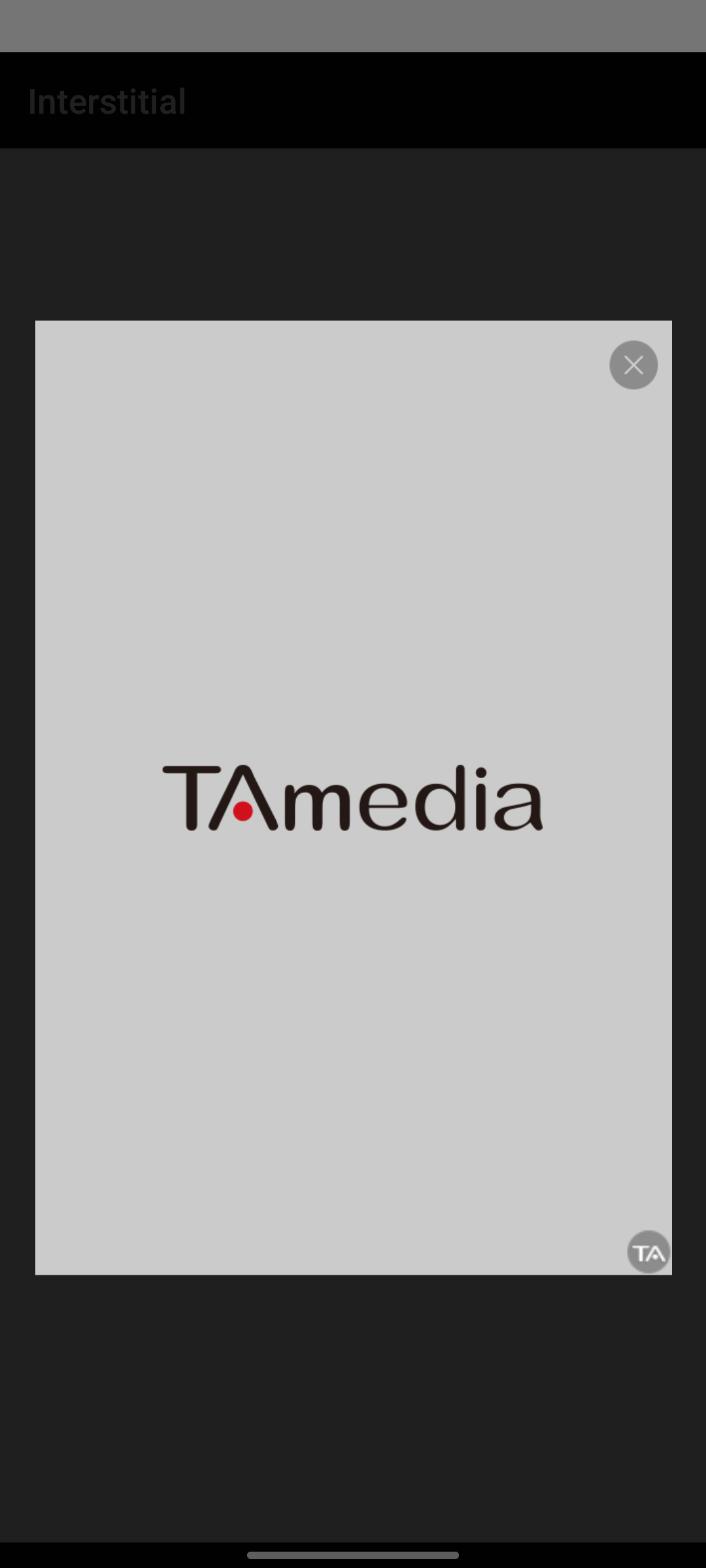
=== 插頁(Interstitial) ===
Interstitial | Interstitial |
|---|---|
| 
|
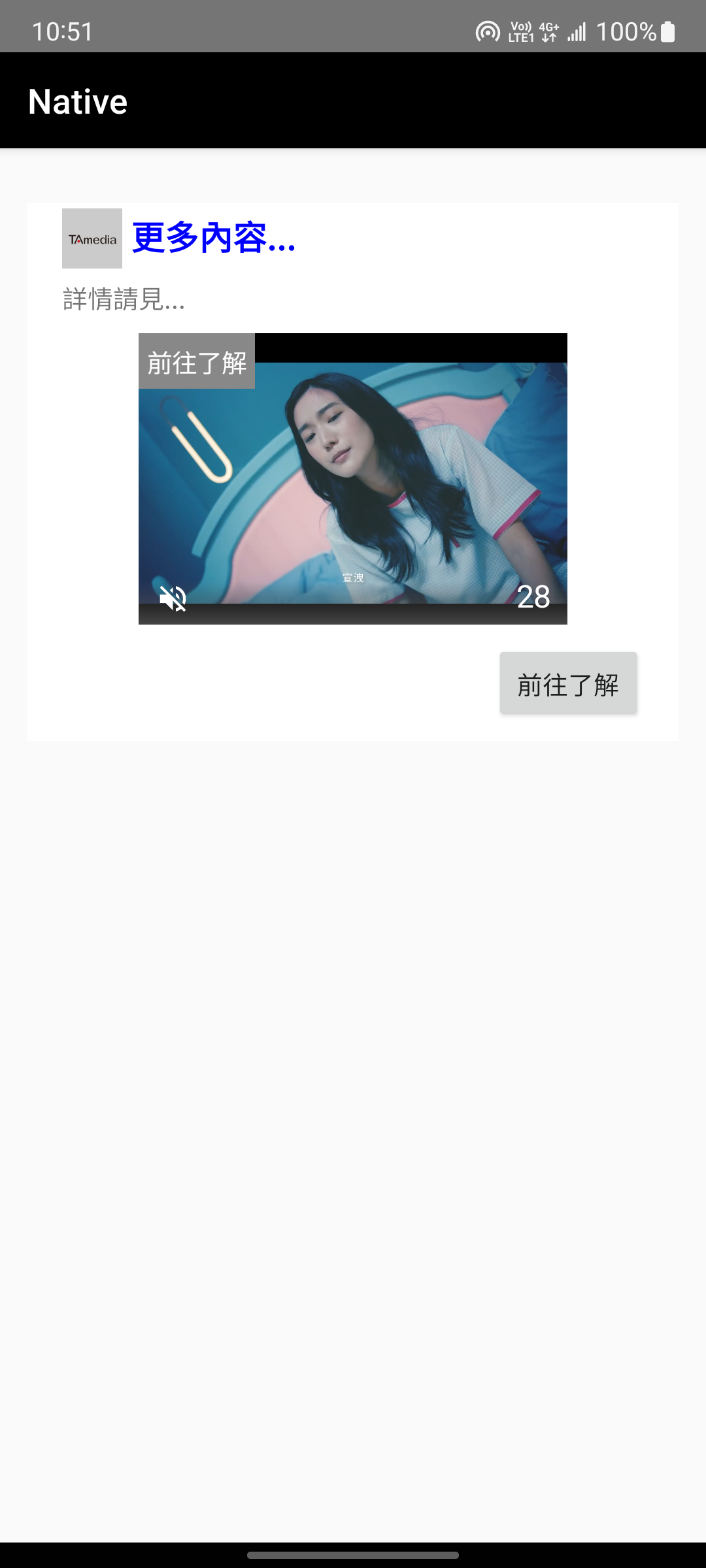
=== 原生(Native) ===
NATIVE | NATIVE IMAGE |
|---|---|
| 
|