IDGraph Android Getting Started
系統需求
- Android SDK Version: 9+
== SDK整合 (包含Google Play Service) ==
- 以 Android Studio 進行整合
-
將SDK Jar檔放到APP專案的libs資料夾中
-
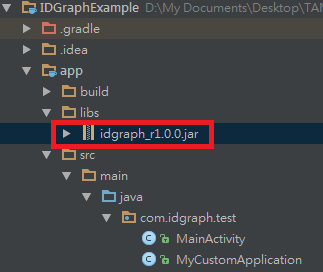
:在 build.gradle 的dependencies內宣告對jar檔的使用,若jar命名為idgraph_r1.0.0.jar, 則程式碼如下:
dependencies {
compile files('libs/idgraph_r1.0.0.jar')
// other dependencies ..
}
:在 build.gradle 的dependencies內宣告Google Play Service的使用,程式碼如下(版本可自行調整):
dependencies {
compile 'com.google.android.gms:play-services-ads:6.5.87'
// other dependencies ..
}
*以 Eclipse 進行整合
-
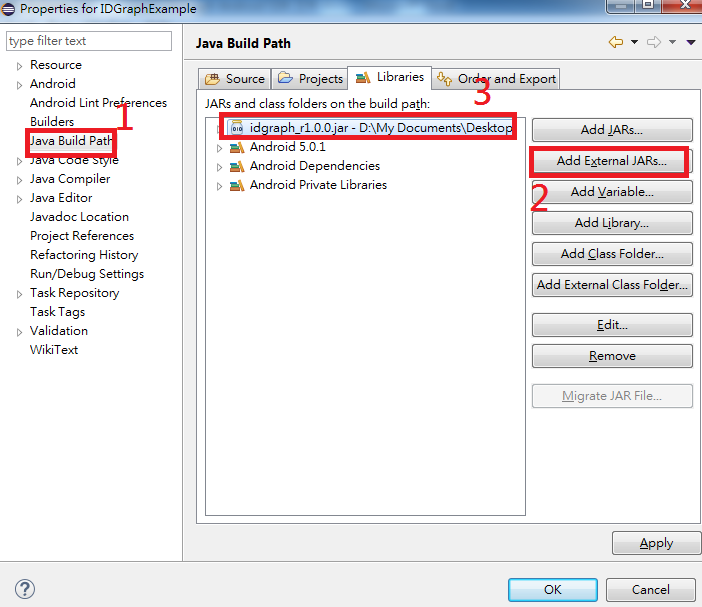
對您的專案 點右鍵 -> Properties -> Java Build Path -> Add External JARs, 將Jar檔加到專案內
-
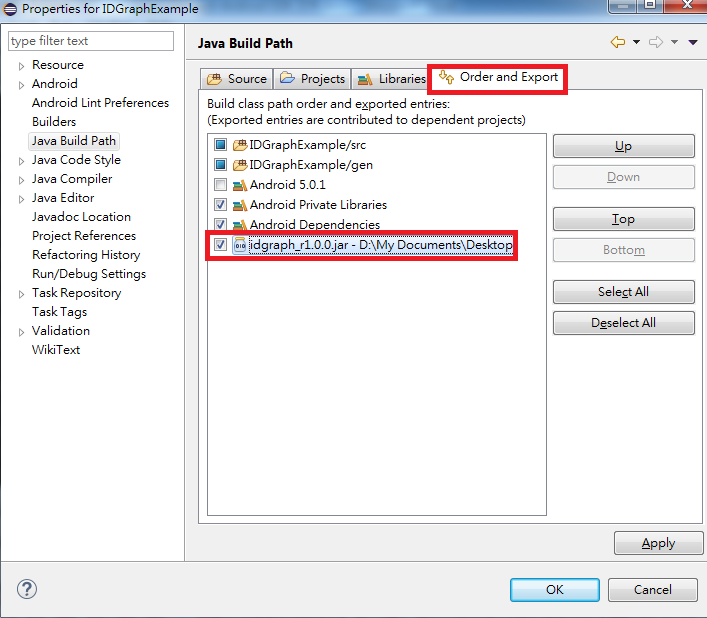
:點選Order and Export內, 將jar檔打勾
:
:由於Google已經不支援Eclipse,新版的Play Service無法直接從現有的Android SDK找到google-play-services-lib,請先下載下列連結取得Library:
:下載點:Google Play Service Library
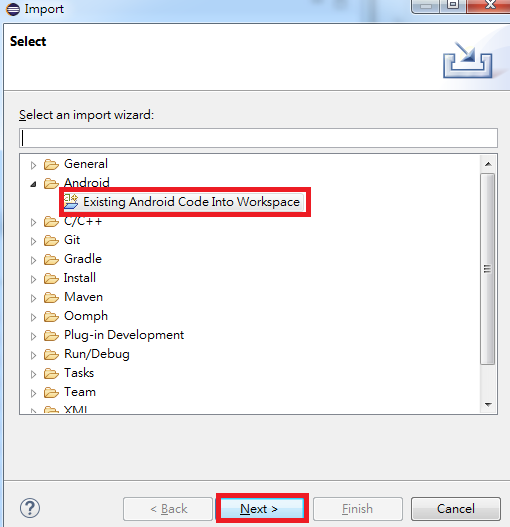
:在Eclipse上方工具列選擇 File -> Import -> Android -> Existing Android Code Into Workspace,將google-play-services-lib匯入您的專案
:
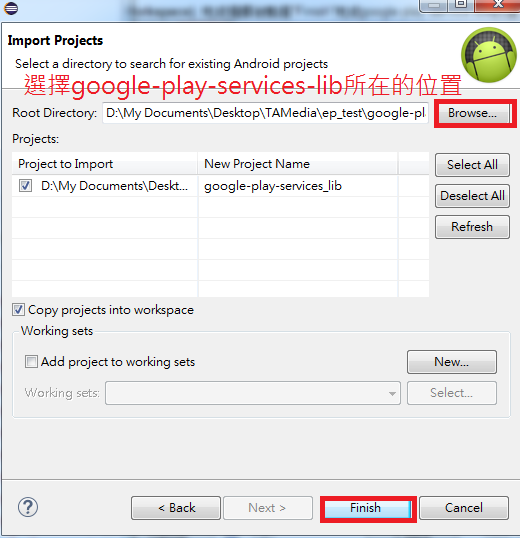
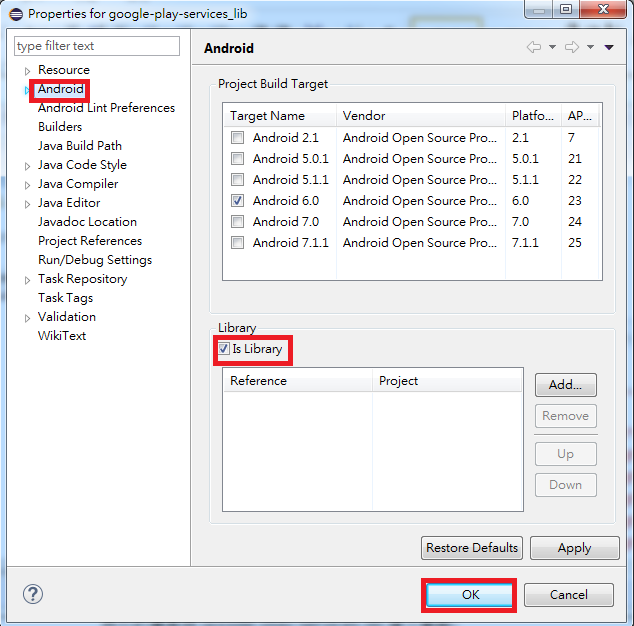
:匯入後請將此專案設為Library專案,對google-play-services-lib點右鍵,選擇 Properties -> Android,勾選Is Library
:
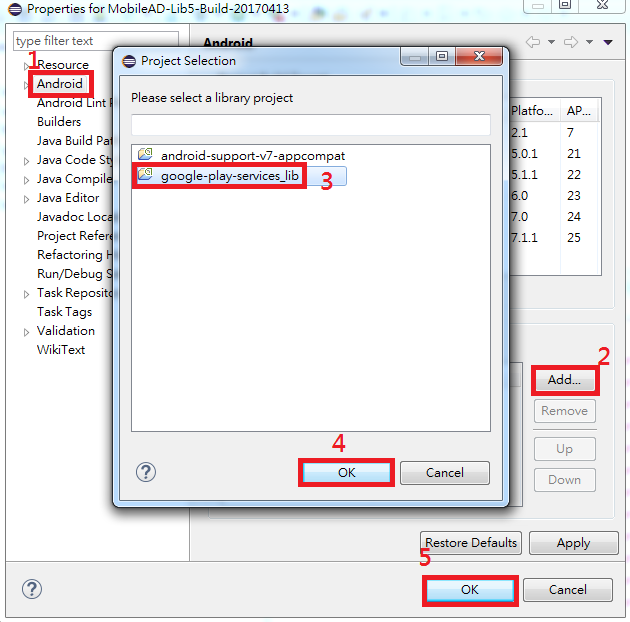
:將您的專案與google-play-services-lib建立關聯,對您的專案點右鍵,選擇 Properties -> Android -> Add,選擇google-play-services-lib
:
*加入必要權限 (以Android Studio和Eclipse整合皆須設定)
- 在 AndroidManifest.xml 內加入下列Permission:
<uses-permission android:name="android.permission.INTERNET"/>
- 在 AndroidManifest.xml 的application tag內加入Google Play Service的meta tag
<meta-data
android:name="com.google.android.gms.version"
android:value=" @integer/google_play_services_version" />