Android Banner Ads I
:*宣告Banner廣告版位
::*透過layout.xml的方式進行宣告
<?xml version="1.0" encoding="utf-8"?>
<LinearLayout xmlns:android="http://schemas.android.com/apk/res/android"
android:layout_width="fill_parent"
android:layout_height="fill_parent"
android:orientation="vertical" >
<com.taiwanmobile.pt.adp.view.TWMAdView
android:id="@+id/adview"
android:layout_width="wrap_content"
android:layout_height="wrap_content" >
</com.taiwanmobile.pt.adp.view.TWMAdView>
</LinearLayout>
::*透過程式進行宣告
public class MainActivity extends Activity {
private TWMAdView adView = null;
@Override
public void onCreate(Bundle savedInstanceState) {
super.onCreate(savedInstanceState);
setContentView(R.layout.main);
adView = new TWMAdView(this);
LinearLayout root = (LinearLayout)findViewById(R.id.root);
root.addView(adView);
}
@Override
protected void onStart() {
super.onStart();
adView.activeAd("<Your Slot ID>","<Your name>","0",”640x100”);
}
}
:*啟動Banner廣告服務
void com.taiwanmobile.pt.adp.view.TWMAdView.activeAd(String slotId, String vendorId, String testmark, String format)
Parameters:
slotId 廣告版位Id
vendorId 開發者Id
testmark 是否測試標籤 , 0:表正式服務,1:表進行測試中
format 版位大小, 可選640x100, 320x320, 300x250, 1024x90, 728x90, 468x60, 110x700, 640x640
-
- 輸入相關參數啟動廣告服務
@Override
protected void onStart() {
super.onStart();
adView.activeAd("<Your Slot ID>","<Your name>","0",”640x100”);
}
- 畫面展示
應用程式開啟 |
點擊Banner後開啟網頁 |
點擊Banner後撥打電話 |
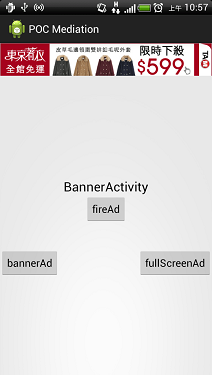
|

|
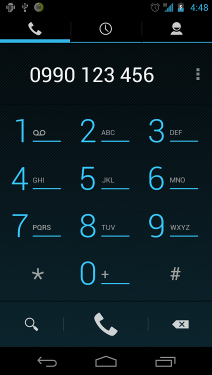
|
- 接下來可以參考進階的 Interstitial Ads